Friction With Empathy
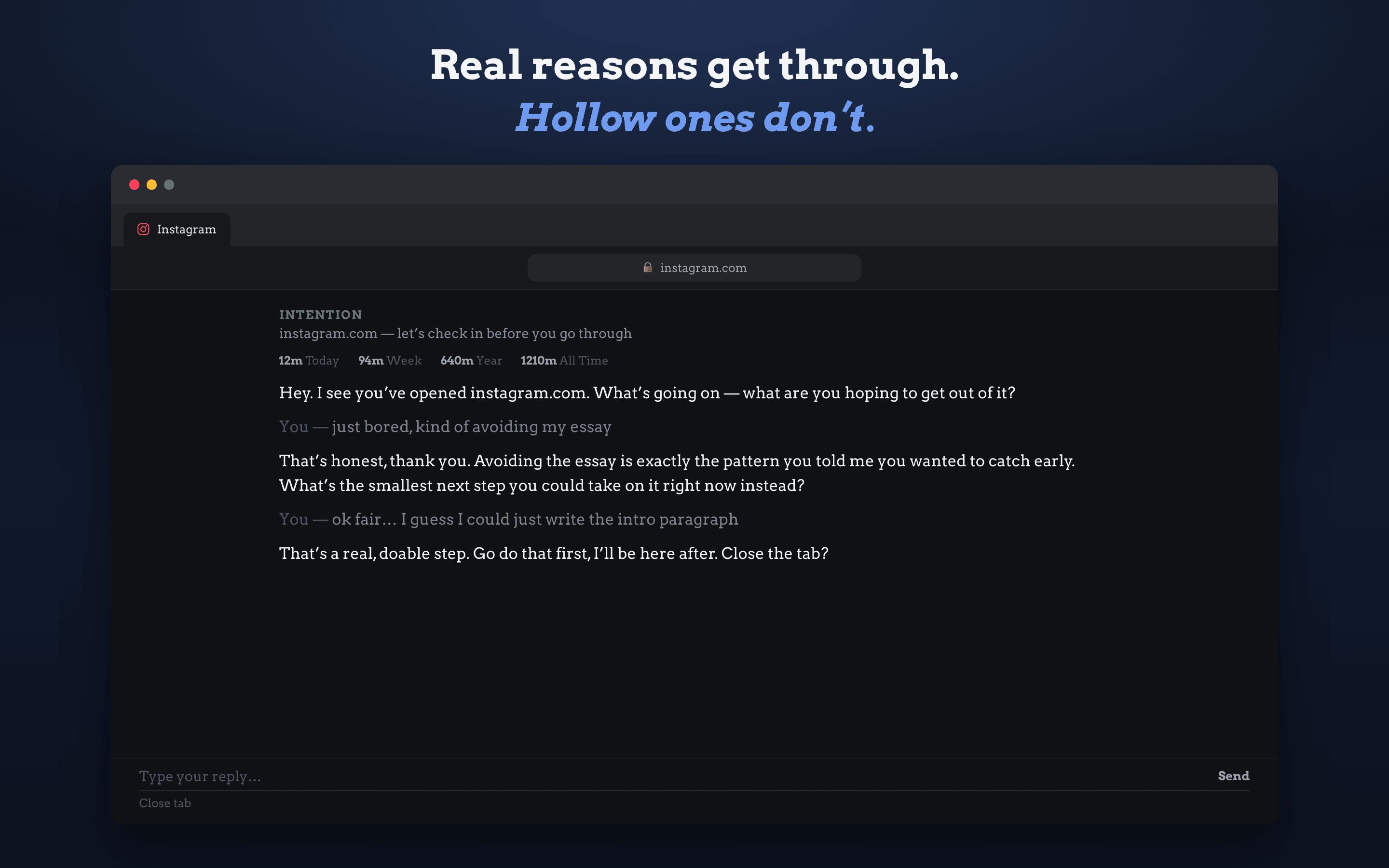
Instead of an error page or a countdown penalty, Intention talks to you like a supportive peer who wants you to succeed at whatever you set out to do today.

The AI coach between you and distracting websites.
Traditional domain blockers act like padlocks you quickly learn to disable. Intention introduces mindful friction: when you open a distracting site, an AI coach checks in on your purpose. If your visit is intentional, you earn a focused, time-limited pass.
An obsidian glass interface built to respect your attention, with per-site rules, custom pass lengths, and zero clutter.
Mindful check-in before the doomscroll starts
When you navigate to a blocked site, Intention displays a calm, focused gate asking what you came to do. A thoughtful answer grants a timed pass.
Built on mindfulness principles and fair software ethics.
Instead of an error page or a countdown penalty, Intention talks to you like a supportive peer who wants you to succeed at whatever you set out to do today.
Need to grab a snippet on Reddit or watch a tutorial on YouTube? State your intent, receive a 10–30 minute pass, and Intention will gently step back in when time expires.
Fine-tune enforcement per domain. Use Strict mode for addictive rabbit holes, and Lenient mode for work-adjacent sites where quick check-ins are common.
No monthly subscription fees or recurring bills. Top up in £1, £2, or £5 increments. Credits never expire and pay strictly for the AI tokens your messages consume.
Your browsing history, blocklists, and statistics never leave your device. Only the text of active coaching conversations on blocked sites is sent to the AI model.
Power users on Chrome, Firefox, and macOS can enter their own API key for Anthropic Claude, OpenAI ChatGPT, Groq, or Google Gemini in Settings → Advanced.
Enable Intention in Safari in under one minute.
Launch the Intention app on your iPhone or iPad to complete the welcome walkthrough and choose the websites you wish to protect.
Open iOS Settings → Safari → Extensions. Scroll to Intention and toggle it ON.
Under Permissions for Intention, choose All Websites and set to Allow so the coach can intercept your chosen blocked domains.
Open Safari! When you visit a protected website (like reddit.com or youtube.com), the coach will greet you to keep you mindful.
Everything you need to know about passes, credits, and privacy.
When you visit a blocked site, the AI coach reads your stated reason and checks it against the target site and your personal focus goals. If you have an intentional, actionable purpose (e.g., checking a specific software solution, messaging a colleague, or watching a tutorial), the coach grants a time-limited pass. If you're bored or browsing on autopilot, it gently helps you step back without judgment.
Have questions, need help setting up the Safari extension, or experiencing an issue? We provide direct, dedicated support for all Intention users.
Help with enabling extensions on iOS, iPadOS, macOS, Chrome, or Firefox.
Restoring In-App Purchases, device migrations, and recovery code help.
Report any unexpected behavior, domain unblocking issues, or crashes.
We actively listen to user suggestions to improve coaching and mindfulness.